
Visual Studio keyboard bindings and text editor requests

I recently started experimenting with emacs on the many suggestions of Steve Yegge. Unfortunately, just getting up to speed in emacs (i.e. working as quickly as I do in Visual Studio or even vim) was taking a long time and when time is short, as it is during milestone development here at Microsoft, that’s not the best way to spend it. So I’m putting off that experiment until work slows down, or until my parental leave in January. In making the decision to stick with VS for the next few months of coding, though, I definitely want to improve how I use the text editor and as I began working to do that I ran across this post by Noah Coad. So I thought I’d respond to Noah and share some of the things I’m doing to improve my keyboard use (and therefore, speed) during development.

My familiarity with the vim and emacs commands has led me to seek a keyboarding compromise. I love vim’s ability to navigate very easily on the home row keys. But I like the fact that emacs doesn’t have two separate “modes”, command and insertion. I always get thrown off in vi because of that. So my navigation keys are basically the vi navigation keys while holding down the Ctrl key. I’ve also adopted a hybrid of the emacs convention of using Alt to switch from characters to words, lines to sentences etc. So Ctrl-Alt-J moves my down a page, etc. And then, I like the windows convention of holding down Shift while nagivating to select text, so I’ve added mappings to do that, e.g. Ctrl-Shift-K to select up a line. I’ve also added some other navigation keys that follow this same pattern, such as Ctrl-0 to go home. Of course, I’ve also remapped the commands that are at those bindings by default to other bindings depending on how often I use them.

So far this seems to be going well. I’m still learning these keyboard shortcuts and that’s taking a little bit of re-education, but I feel faster than when I use the mouse, which is a good baseline to start from.

Now to respond to Noah. I am now trying to use visual studio for more of my text editing needs, and customizing it more so that I can. As I’ve started doing this I’ve been impressed at how much power is there that I didn’t know about, but also frustrated by the little things that are possible but not easy to do. Searching, replacing, and regular expressions is an area that could definitely stand to be improved. Opening files from the explorer or from visual studio into new instances easily would be nice (an SDI type mode). One thing that would be useful is to have keyboard mappings that can be applied and then removed easily. This would be similar to modes in other text editors, but allow for some specific behaviors in certain cases.
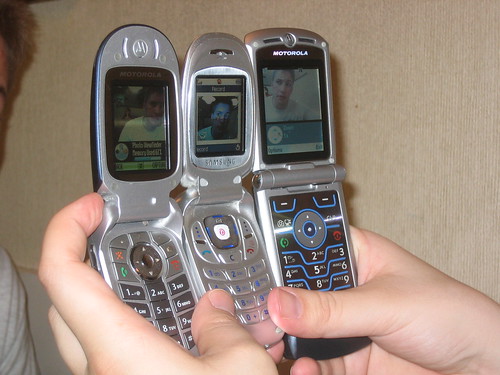
Time for a new phone

Photo taken by http://www.flickr.com/photos/compujeramey/It’s time to buy a new phone. One of the cool benefits at Microsoft is discounts on phones and phone plans from most major carriers. So when my contract is up I go back to the discount web site to see what the latest deals are and if I should get a new phone. My current phone is a T-Mobile SDA that is falling apart because I dropped it when running across a parking lot in the rain. It’s a great little phone, but it would be nice to have one without a dorky rubber band around it. However, I have noticed other people with pretty beat up SDAs, so they must be reliably durable. However, having used it for a year and a half now, there are definitely some things I don’t like about it.

  • Candybar style. It’s just to bulky to put in my pocket, so I carry it around in belt clip, but I’d much rather have it in my pocket. The candy bar shape also requires that I lock the keys (which I don’t) or I randomly call numbers consisting of an odd mix of 0’s and *’s. So yes, I randomly call numbers consisting of an odd mix of 0’s and *’s cause locking the keypad is too much of a hassle.
  • No secondary display. I loved being able to look at my last phone (a flip phone) and see the time, missed call information, and number of messages. Now I have to push a key to get that and the information is mixed in with random stuff that the window mobile software puts on the home screen.
  • Four useless buttons. Yes, I know there are hacks to customize the SDA’s media buttons, but again, I’m too lazy to do it. So I use the speed dial, which, instead of being speedy, requires me to hold down a button for a long time. Its better than nothing for launching key apps (Calendar, OneNote Mobile), but it could be so much better.
  • Very tiny, but important, buttons. The home button, back button, and the two soft keys should not be the smallest buttons on the phone. And certainly not smaller than the media buttons. I’ll throw in here that the power button is difficult to use.

So yes, it could be better. Most of my qualms are with the hardware. However, I think the truly useful benefits and changes to phones could be done in the software. Before going further let me deal with the iPhone thing. The iPhone seems really cool. However, I doubt I’ll ever get one. Even if they sync with my outlook perfectly, have a flip phone, all that stuff. I just don’t want or need something so complicated. The same critique applies to the Windows Mobile phones out there. I want a phone that does three or four things perfectly.

  • Making phone calls. I don’t make a ton of phone calls, but when I do I want it to be seamless, fluid. I want a nice big number keypad with good feedback when I hit the buttons. I want an integrated list of recent calls (in and out), my contacts, etc. Modern phones basically have this list working well enough for me. But most phones don’t have a good keypad, least of all the iPhone.
  • Provide reminders. I want my phone to synchronize with all my calendars (home outlook, work outlook, etc.) and remind me of appointments and tasks. It should also be very easy to add one-off reminders for a relative or absolute time in the future. Those should be synced back to the appropriate calendar also.
  • Provide a recording service. But I’m not just talking about the wimpy voice recorder found in Windows Mobile. I want a button on my phone that kicks off recording so that I can instantly start talking. Once that happens, I want a list on the screen of things to do with the recording. The default, for me, would be to put it in my email inbox so that I can be reminded of it. Other possibilities would include making it a task, an appointment, emailing it, etc. Each of these would be preconfigured and would take just one more button click. If I just hit the “End Call” button it should do the default one. And for each of those it should run voice recognition, extract the best guess as to what I said and include both the text and the voice recording.
  • Provide voice access to information. I not only want the increasingly competitive 411 services automatically added to the speed dial (and a good speed dial would be nice), but I want a 411 service that allows me to access some of my own information that is in the cloud. I should be able to ask questions about my schedule, retrieve notes (like my wife’s library card number, which is currently in OneNote Mobile), and check for urgent emails.
  • Preferably a slim flip phone. I want to put it in my pocket. I want to have an external display with the time and information about missed calls and appointments.

It’s important to note what I left out. I do not want

  • An internet browser. They’re too much of a temptation when I’m sitting at my desk. I don’t need that with me all the time.
  • A camera. I’m not a picture taker. If I were, I’d want a decent camera with me also, not a significantly degraded phone experience. That said, I’ll take a camera in my phone if it is very much a secondary feature.
  • Driving directions, games, instant messaging, videos, a calculator, etc. Whenever something here is useful, it should be rethought as a phone number service I can call. Just as there are web services for many existing desktop apps, so most mobile apps should be phone services with voice as the main UI. Any time I need to enter text it should be possible to do so with my voice and decent voice recognition software, either on the phone or over the line.

At this point I don’t think there is a phone that meets my needs. I’ll probably settle for something that handles phone calls reasonably well, syncs my calendars, and is a flip phone. And it will have a bunch of stuff I don’t need or care about. But I can dream, right?

Habits are a Moat

From http://www.flickr.com/photos/logicalrealist/Charlie Munger and Warren Buffett often talk about companies with “moats” or with some intangible asset that makes it very hard for other companies to effectively compete with them. Coca-Cola’s brand is their moat. The network effect has created an amazing moat for Microsoft around their operating system business. Google has a similar network effect moat around their advertising business. While I have almost always heard moats discussed in a business context, I was considering Munger’s “multi-disciplinary” approach recently and realized that moats apply just as well to individuals and the success that they can achieve.
An individual’s moat is their habits. After reading just a little of Munger’s writing it becomes clear that his great success in life comes from his habits of learning constantly, using mental checklists, and approaching all problems in a multi-disciplinary way. I’ve learned enough to recognize how powerful these practices can be but I haven’t really made them into habits. Most people haven’t. Of course, these aren’t the only habits that lead to success, and I’m sure Munger himself has many more. In some ways, his message for individuals is the same as Stephen Covey’s in The Seven Habits of Highly Effective People. Although Covey discusses seven specific habits to develop, he also states up front that it is the habits we have that create success. He wouldn’t limit success to just seven habits any more than Munger would.

Of course, corporations have the equivalent of habits in their corporate culture, and some corporations have great cultures that work like moats. The moats I discussed above, however, are not primarily culture based. Likewise, individuals can have non-habit moats such as personal networks or reputation. However, I believe that to develop these we need to have the right habits. Scoble’s habits of constant blogging and networking have made him into a force to reckoned with in the technology world. Many others have developed the same habits and the same ability to influence others.

Regardless, as I try to become a better software developer in the coming months, one thing that is weighing on me is the idea that I need to be developing the habits of a professional engineer in order to create a personal moat that makes me more competitive. But I’m also looking beyond that to the habits I need to be more successful in other areas of my life - my family, church, hobbies, etc. I suppose its time to go back and read 7 Habits, if only for the reminder of how to change them.

Old Construction Prerequisites

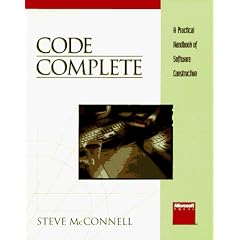
Code CompleteSo it’s now been two weeks since my last post committing to a daily post about what I’ve been reading. I went on vacation to Bear Lake for a family reunion that was great fun except for the bad sunburn I got. I’ll have to tell you sometime about my bad burn from ‘91 (Florida).

Anyway, I did manage to get chapter 3 of Code Complete read at some point during the vacation. I was half-surprised by how much of McConnell’s advice parallels the agile principles that are so popular currently, given that it was written about 15 years ago. While the focus is still on waterfall development the value of iterations is recognized and the need for using development practices that “accomodate changes.” I did get a kick out of how many of the questions in the checklists are things that might not even be considered up front by many agilists nowadays. The most dated section was the section on programming languages, with no real discussion of modern programming languages like Java, C#, or any functional languages. I’ll have to go get me a copy of the second edition.

Becoming

Taken by http://www.flickr.com/photos/simonov/Because I’ve been working to develop myself as a professional software engineer, I recently read Designing Learning by by Andy Hunt and Dave Thomas, the authors of The Pragmatic Programmer. It inspired me to go a little further and write down a specific plan for the things I want to learn and how I’ll learn them. Then I noticed that the meme has been making its way around the blogosphere. Ok, now I feel like a copycat. That’s out of the loop. Ah well. I’ll be documenting my plan and how well I follow it here on this blog. I’ll also be using the blog to record things I learn and my thoughts about them.

Just for background, here’s a bit about my current state as a developer. While, I don’t consider myself a great developer, I do want to improve more than most of those I know. At work I code in C++ and do some powershell scripting.

After brainstorming, I’ve decided that the areas where I would like to focus my learning are:

  • .NET framework and C#
  • TDD and unit testing
  • Software classics - CS theory and software engineering especially
  • MicroISV and software entrepreneurship
  • Automating everything
  • Other programming languages, such as Erlang
  • Regular reading of journals and magazines, such as Dr. Dobbs

I will be using the following proven techniques to learn:

  • Reading (includes watching presentations)
  • Writing
  • Projects
  • Experiments
  • Discussion with others

So I’ve chosen 5 specific things to do that include a mix of the things I want to learn and the techniques for learning.

  1. Project: Write unit tests for EGX, begin TDD, avoid Mocks
  2. Read one article, book chapter, etc per day (at work or on commute)
  3. Write about what I’ve read about on blog, even if it’s just a link and a note
  4. Experiment: Spend a day thinking about every activity I do, and how it could be automated
  5. Discussion: After reading an article or two, talk to David about starting a MicroISV

And to make sure it happens, I’ll do the following in the next few weeks:

  1. Do an hour of EGX development on each driving day of my vacation
  2. List chapter, article, etc. to read on Joe’s Goals each morning
  3. Joe’s Goals checkbox for writing about reading
  4. Spend tomorrow considering how I could automate everything I do
  5. Find some MicroISV articles to read on vacation, forward to David